Programmes

Modules through which we build digital, programming, robotics, networking, and multimedia skills.

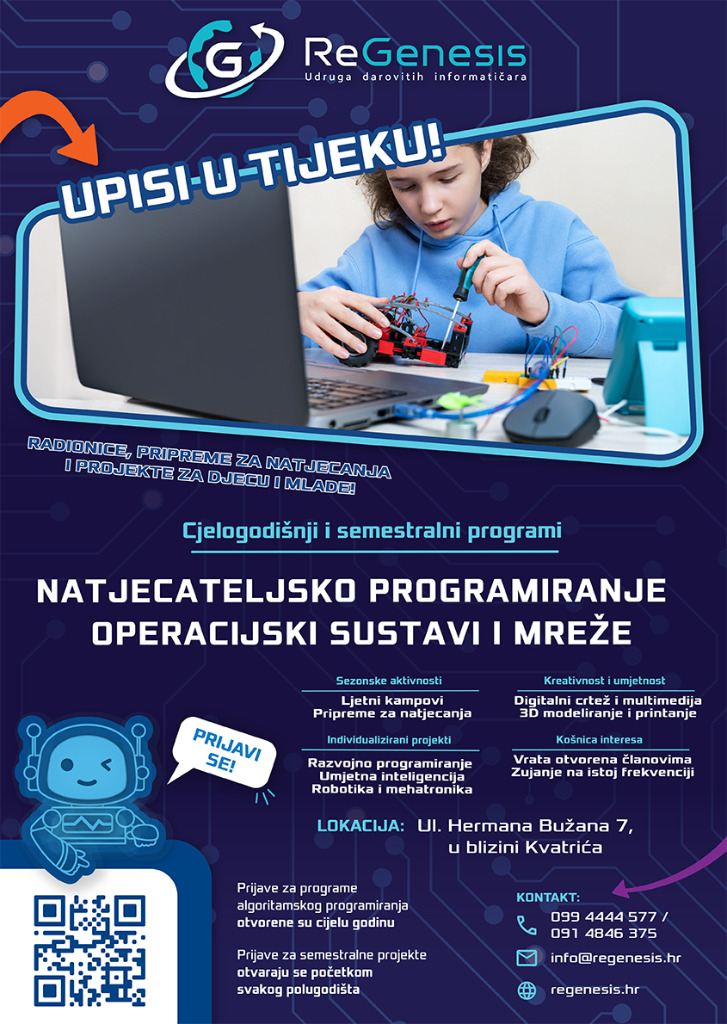
Flyer with enrolment details and programmes of the ReGenesis Association

The Association works in technical and computing culture, digital literacy, making, and the responsible use of technology. Through the modules we run workshops, contest preparation, and projects for children and young people.

Learning is long-term, and participants progress by what they know, not by age. Some modules run for the whole school year, and some for one semester, depending on the group’s focus and interests.


Modules

For younger and older primary-school pupils, and secondary-school pupils

Algorithmic programming

How does Google Maps know the shortest way to Grandma's?

Why does a mobile find a song in an instant, while I spend half an hour searching a list?

Can I simply try every possibility, and how long would that take?

How do I know that my solution always works, and not only on this example?

What is the chance that I draw exactly that card?

What you will learn:

  • Write your first program and a small game you can show your friends
  • Teach the computer to repeat a boring job instead of you
  • Solve a task that would take days by hand, in one second
  • Explain why one solution is fast and another is too slow
  • Count how many ways something can happen and prove that it is correct

Algorithms and contest preparation, from Logo to Python and C++, with the mathematics for informatics behind them.

For younger and older primary-school pupils, and secondary-school pupils

Project programming

How do I make my own web page that everyone can open?

Where does a game remember my points when I turn the computer off?

How do I make a game in which a character jumps and collects points?

How do we work on the same project with a friend without wiping each other's work?

What does it mean when an application says "something went wrong"?

What you will learn:

  • Make your own web page that anyone can open
  • Make a game in which a character jumps and collects points, and publish it
  • Save data so that they remain when you turn the computer off
  • Work on the same project with a friend without wiping each other's work
  • Find and fix a bug in your code instead of guessing

The web with a database and a backend, one's own game and development practices; from an idea to a published product.

For younger and older primary-school pupils, and secondary-school pupils

Artificial intelligence

How does AI know what to answer me – does it understand me or is it guessing?

Why does AI sometimes say something untrue with confidence?

How do I recognise that a graph in a newspaper is misleading?

Why is it hard for me to stop scrolling?

Is this prize on the internet real or a scam?

What you will learn:

  • Use AI as a tool and catch it when it invents an answer
  • Make something of your own with the help of AI: text, an image or a small program
  • Recognise when a graph in a newspaper or on the internet is misleading
  • Make an honest graph from data you collected yourself
  • Recognise a scam, a fake prize and an application that keeps you on the screen

AI from use to training models, with data literacy and a responsible attitude towards technology.

For younger and older primary-school pupils, and secondary-school pupils

Creative workshops and art

How do I film with a phone so that it looks like a real film?

Why does my voice sound strange on a recording and how do I fix that?

How do I make my drawing come alive and start to move?

May I use this song in my video?

How do I make my video watchable by people who cannot hear?

What you will learn:

  • Edit a photograph and draw a picture on the computer
  • Record sound and clean it so that your voice sounds clear
  • Edit a short film: cuts, music and transitions
  • Add subtitles so that people who cannot hear can watch your video too
  • Know which music and images you may use in your work, and which you may not

Digital editing of image, sound and film, with licences and a final creative piece.

For younger and older primary-school pupils, and secondary-school pupils

Operating systems

Where did that file I saved yesterday end up?

What if the computer breaks down, are my photos gone forever?

Why does a computer become slow over time?

What is Linux, and why would I want it on my computer?

Can I tell the computer what to do by typing, without clicking the mouse?

What you will learn:

  • Organise files so that you never again have to look for where something ended up
  • Make a backup so that your photos do not disappear when the computer breaks down
  • Explain why a computer becomes slow over time and how to help it
  • Install a second operating system (Linux) in a safe virtual machine
  • Tell the computer what to do by typing in the terminal, without clicking the mouse

From digital literacy to Linux administration; files and documents, the terminal, services and containers.

older primary-school pupils and secondary-school pupils

Networks

How do I connect to a friend's computer?

What is a firewall?

How does a photo from my phone reach a friend on the other side of the world?

Why do they tell me not to click every link?

What should I do if I lose my phone or someone gets into my account?

What you will learn:

  • Draw a map of your home network and know everyone who is on it
  • Make a network cable yourself and connect two computers
  • Explain the path by which a photo from your phone reaches the other side of the world
  • Set strong passwords, two-factor authentication and a passkey on your accounts
  • Recognise a scam in a message and know what to do if you lose your phone

From crimping cables to routing and hosting, with defensive security and personal digital self-defence.

For younger and older primary-school pupils, and secondary-school pupils

Robotics and mechatronics

How does a robot know that there is a wall in front of it?

How do you make a toy that moves by itself?

Why does a robot move by itself, while a remote-control car does not?

How do you make a badge that lights up and shows a message?

Why does Grandma not know how to switch my device on, when I do?

What you will learn:

  • Build a robot that moves by itself
  • Add a sensor so that it stops before a wall
  • Control the motors and teach the robot to drive a given course
  • Make a badge (micro:bit) that lights up and shows a message
  • Make a device that even Grandma knows how to switch on and use straight away

Microcontrollers, sensors and motors through to autonomy, with the design of devices a stranger knows how to use straight away.

Free activities

What matters most

What you will learn:

  • Automate work in Minecraft with belts and redstone
  • Plan a large factory in Factorio and see what breaks when it grows
  • Draw a 3D model and print it so you can take it home
  • Program a drone to fly a set path on its own
  • Come to the playroom, play and carry on your projects with a mentor

Free activities without grades: gaming workshops, 3D printing, drones and a playroom.

Want to see the full programme?

Each module has a detailed curriculum: learning outcomes, levels of mastery, a topic list, and links to the national informatics curriculum (MZO).

Curricula

Want to join?

Send enrolment requests and questions about the modules to the office or the programme lead.

Contact
HR EN
Classic Server